admin webmink Can you try via the Growatt website to set up a charge schedule 'Battery First'? https://server.growatt.com/index
admin webmink I wonder if this is specifically happening for Agile, and perhaps us firing multiple calls to the Growatt API for a huge number of users is simply being throttled. We'll have a think.
webmink admin perhaps us firing multiple calls to the Growatt API for a huge number of users is simply being throttled. That's certainly possible - do you have a choice of servers like users do for web login? However, the last couple of nights I have (unusually) been awake around 4am and I have noticed that logins to the Growatt web page have been down. Maybe they are just have some problems with their production systems?
admin webmink Maybe they are just have some problems with their production systems? Yep, I think that's exactly what it is, an overload of requests to their login/auth servers.
snellinator My charge instructions have failed for two nights in a row. Hopefully Growatt can sort this out.
admin snellinator Best to file a support request with them saying there are intermittent login errors with the Growatt portal. That's effectively where the failures happen. Hopefully they're aware, but the more users complain, the better.
GraemeD Same issue failed charge schedule for last 2 days, and notice I can no longer login to https://server.growatt.com/login but can via the ShinePhone and GroEnergy apps. My guess is they have changed something for the newer app
webmink GraemeD I found if I deleted the Growatt cookie on the login page I was able to login again. You can also login at any of their other servers - try https://openapi.growatt.com/login
spencerralph webmink I have been getting the same thing for the last 2 days, how do in delete the cookie?
webmink GraemeD Overnight the first one failed & then the first retry 30 mins later succeeded. @admin Have you considered retrying sooner when the error was a timeout?
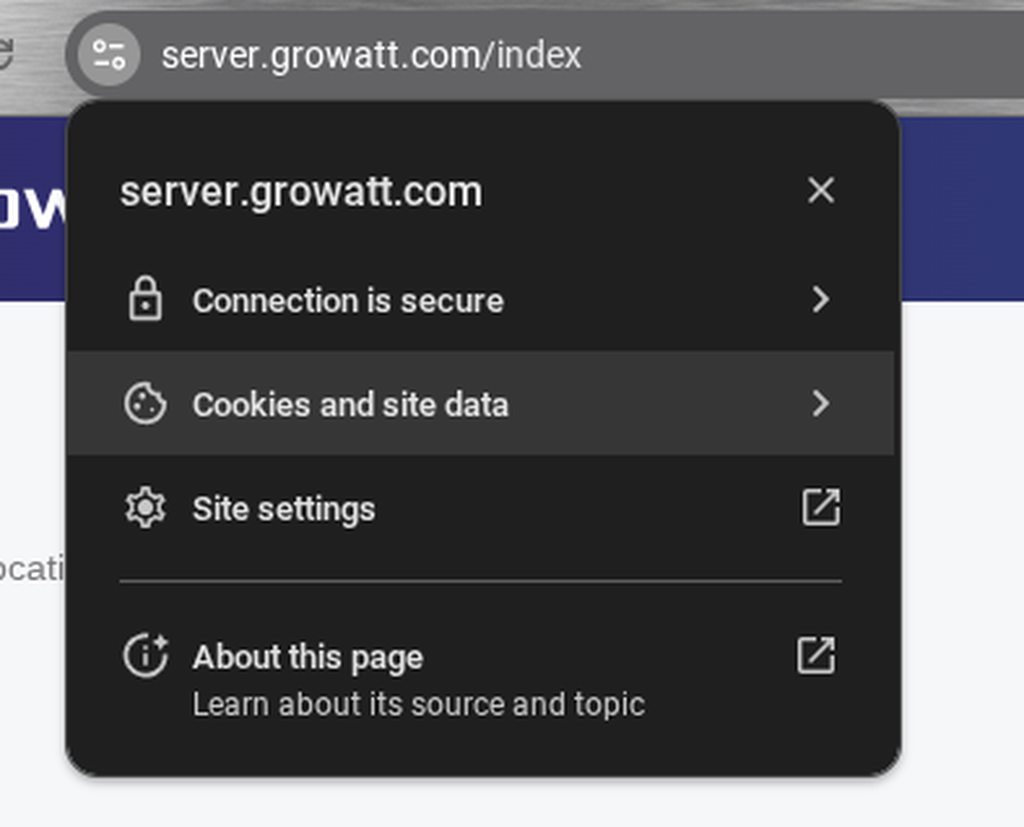
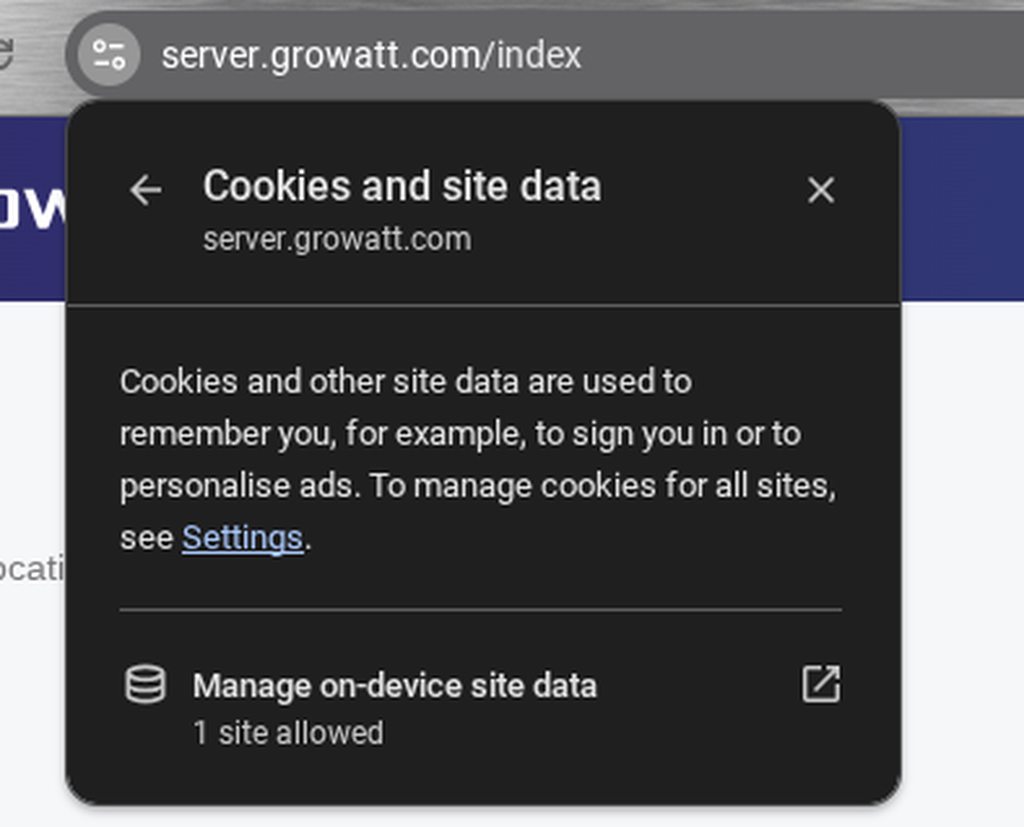
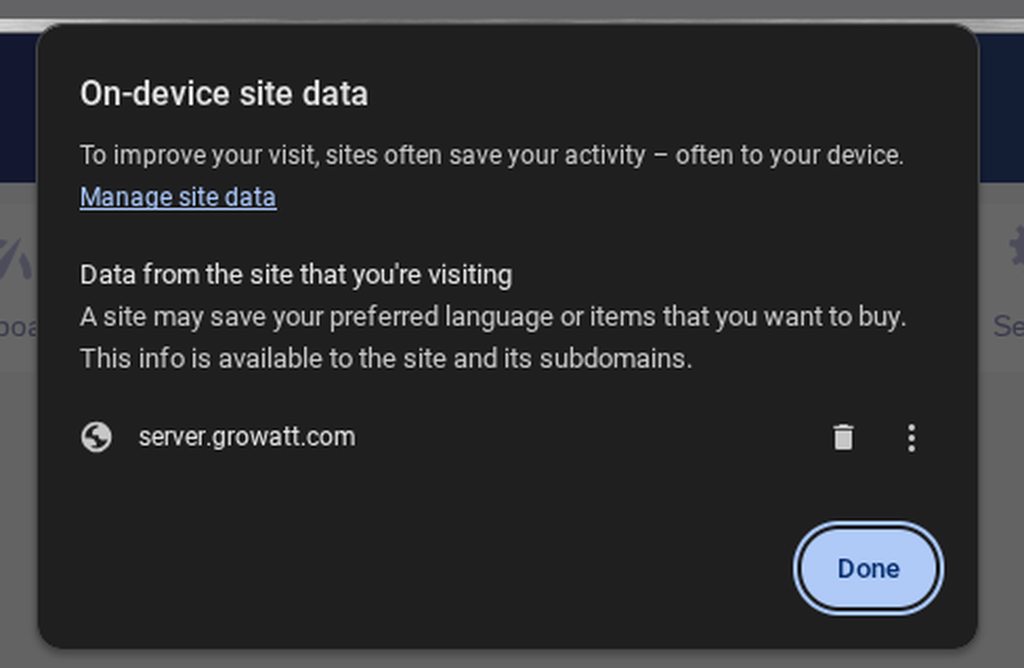
webmink spencerralph If you are using Chrome, click the icon before the URLto get this: Then click "Cookies and site data" to get this: Then click "Manage on-device site data" to get this: Finally click the bin icon to delete the currently stored data.
ALLENPATTRICK Imaginary-risk I am having the same problems over last few days. Always around 0400-0500.
palaceben Didn't see this last night. Instead I put in a feature request for us to at least be notified somehow when there is a failure. Hopefully something like that is possible.
admin We made some changes around client connection contention and retry policy synchronisation, which hopefully will alleviate some of the Timeout issues you've been seeing. Update: Looks like this has been successful. Red bars are Timeout errors.